
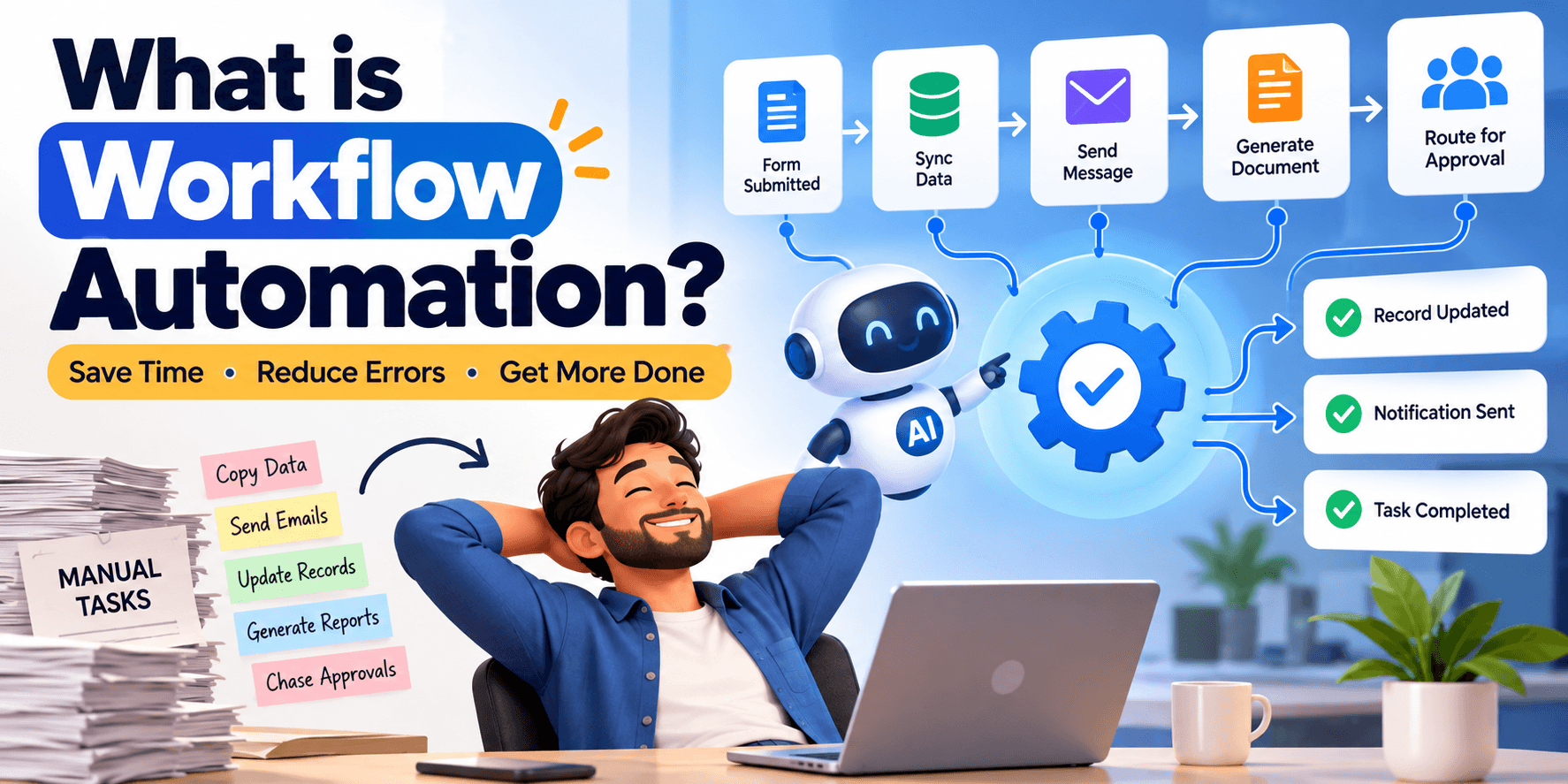
What Is Workflow Automation and Where to Start
A plain-English guide to automating repetitive work — and how to pick your first process without over-engineering it.
Datricle • 29 Sept 2026
Short answer: Workflow automation means using software to run repetitive, rule-based tasks that people currently do by hand — moving data between systems, sending routine messages, updating records, generating documents, and routing approvals — so your team spends time on judgment, not busywork. The best place to start is a single high-frequency, low-complexity process that everyone agrees is tedious. Map it, automate that one path, measure the time saved, then expand.
Almost every company runs on a surprising amount of manual "glue work": copying data from an email into a spreadsheet, re-typing an order into another system, chasing someone for an approval, sending the same status update every week. Individually these tasks are small. Added up across a team, they consume real hours and cause real errors. Workflow automation removes that friction.
What workflow automation actually is
At its core, an automated workflow is a sequence of steps that software performs automatically when something happens. It has three parts:
- A trigger — the event that starts it. A form is submitted, an email arrives, a record changes, a date is reached, or a payment clears.
- Logic and actions — what happens next. The system checks conditions ("if the amount is over $5,000, route to a manager"), transforms data, and performs actions across your tools.
- An outcome — the result. A record is updated, a document is generated, a message is sent, or a person is notified only when their judgment is genuinely needed.
The point is not to remove people. It is to remove the mechanical steps around people so their attention goes to the decisions that matter.
What it is not
Automation is not the same as adding more software, and it is not a magic "AI does everything" button. It works best on tasks that are repetitive and rule-based. Tasks that require nuanced human judgment every single time are usually a poor fit — although modern tools can now add AI steps (summarizing, classifying, drafting) inside an otherwise deterministic workflow, which widens what is automatable. Start with the clearly rule-based parts and layer intelligence in later.
Signs you are ready to automate a process
- People do the same task many times a day or week in the same way.
- The task involves copying or re-entering data between systems.
- Errors happen because a manual step was missed or mistyped.
- Work waits in someone's inbox for a routine approval or handoff.
- You produce the same document, report, or message on a schedule.
- Onboarding a new hire, customer, or vendor follows a predictable checklist.
If two or three of these describe a process, it is a strong candidate.
The best first processes to automate
Choose something high-frequency and low-risk so a small mistake is easy to catch and the payoff is quick and visible. Common winners include:
Lead and form handling
When a form is submitted, automatically create the record, notify the right person, and send a confirmation — no manual copy-paste, no leads lost in an inbox.
Data sync between tools
Keep your CRM, spreadsheet, billing, and support tools in agreement automatically instead of updating each one by hand.
Approvals and routing
Route requests to the right approver based on rules, send reminders, and record the decision — turning a slow email chain into a tracked, fast flow.
Document and report generation
Generate invoices, contracts, or recurring reports from existing data and deliver them on schedule.
Onboarding and offboarding
Trigger the full checklist — accounts, access, welcome messages, task assignments — from a single event so nothing is forgotten.
How to start, step by step
- Pick one painful, frequent process. Resist the urge to automate everything at once.
- Map it as it really works today. Write down every step, decision point, and exception. The exceptions are usually where the hidden complexity lives.
- Simplify before you automate. Automating a broken or overly complex process just makes the mess faster. Remove unnecessary steps first.
- Automate the common path first. Handle the 80% case cleanly and route the rare exceptions to a human. Do not try to automate every edge case on day one.
- Keep a human checkpoint where stakes are high. Let the system prepare the work and a person approve it.
- Measure the result. Track time saved, errors reduced, and turnaround time so you can prove value and prioritize what to automate next.
- Expand deliberately. Use the wins to fund and justify the next workflow.
Off-the-shelf tools vs. custom automation
Many teams start with no-code platforms that connect popular apps, and for simple, standard workflows those are an excellent, fast choice. You outgrow them when your logic gets complex, when per-task pricing becomes expensive at volume, when you need automation deep inside your own product, or when the process touches systems those tools do not support well. At that point, custom automation — built around your data and your rules — becomes more reliable and often cheaper to run at scale. A good approach is pragmatic: use off-the-shelf tools where they fit, and build custom where the process is core to your business or too complex for a template.
Avoiding common mistakes
- Automating the wrong thing. A rarely used process saves little even if fully automated. Chase frequency and pain.
- Skipping the exception plan. Every workflow needs a defined path for the cases that do not fit the rules.
- No monitoring. Automations fail silently when an external system changes. Add logging and alerts so you know when something breaks.
- Over-automating judgment. Keep people in charge of decisions that carry real consequences.
How Datricle can help
At Datricle, we help startups and enterprises find the processes worth automating and build automation that holds up in production. We start by mapping your real workflows, identify the ones with the fastest payoff, and then build the right solution — whether that is configuring off-the-shelf tools, adding AI-powered steps, or building custom automation tailored to your systems and rules. If manual busywork is slowing your team down, we can help you pick a sensible first workflow and turn it into measurable time saved.
Work with Datricle
Planning a product or need engineering capacity?
Datricle builds AI-powered software, SaaS platforms and web & mobile apps — and provides dedicated development teams that plug into your roadmap. Book a free consultation and get clear guidance, timelines and a plan.
Explore: our services, case studies and dedicated development teams.